
Download Arthemy – AI‑Powered Image Creation, Evolution & Collaboration Tool
Introduction
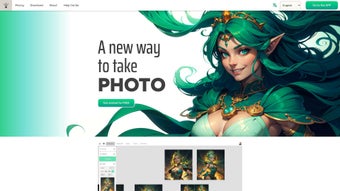
Arthemy is reshaping the landscape of digital visual creation by marrying cutting‑edge artificial intelligence with a workflow‑centric design philosophy. Unlike traditional raster editors that demand powerful hardware and steep learning curves, Arthemy lives entirely in the browser, allowing designers, marketers, educators, and hobbyists to launch a project with just a few clicks. The platform’s core innovation—the Evolution Area—acts as a visual ledger, recording every prompt, parameter tweak, and manual edit in a timeline that can be revisited, branched, or rolled back at any moment.
This transparency not only fuels creative experimentation but also provides teams with an auditable trail that simplifies stakeholder approvals and version control. Complementing the Evolution Area are a suite of auxiliary tools: a smart prompt‑to‑tag engine that translates everyday language into granular AI controls, an integrated sketch canvas that nurtures hand‑drawn ideas into photorealistic renders, and real‑time collaboration rooms where multiple users can annotate, comment, and co‑author images without leaving the browser. Security is baked in from the ground up; all assets are encrypted both in transit (TLS 1.3) and at rest, with optional enterprise‑grade VPN tunnels and SSO for larger organizations.
Whether you’re crafting a social‑media banner, iterating on a product prototype, or building an immersive storyboard for a film, Arthemy delivers a fast, secure, and highly adaptable environment that eliminates the need for heavyweight desktop suites while preserving professional‑grade control.
Key Features That Differentiate Arthemy
- Evolution Area: A timeline‑style visual map that records every version of an image, displaying the exact prompt, model settings, and edits applied at each step.
- Smart Prompt‑to‑Tag Engine: Converts natural‑language keywords into adjustable tags, giving users granular control over style, color, composition, and more.
- Integrated Sketch Editor: Start with hand‑drawn concepts, then let the AI expand or refine them into high‑resolution renders.
- Free‑Form Enlargement: Scale any region of an image without losing detail, using AI‑upscaling that respects the original texture and lighting.
- Custom Model Support: Import and run your own trained diffusion or GAN models for brand‑specific aesthetics.
- Evolutionary Development Trees: Branch out multiple creative directions from a single seed image, visualizing each path side‑by‑side.
- Real‑Time Collaboration: Multi‑user workspaces with live cursor tracking, comment threads, and version sharing.
- Secure Cloud Storage: All assets are saved encrypted on compliant servers, with optional local download for offline archiving.
- One‑Click Export Options: Export to PNG, JPEG, SVG, or layered PSD with embedded metadata about the generation process.
- Responsive Web Interface: Optimized for desktop, tablet, and mobile browsers, ensuring a consistent experience across devices.
The breadth of these capabilities turns Arthemy into a true end‑to‑end creative hub. Designers can begin with a quick sketch, let the AI suggest variations, and then lock in a final version with a single click, all while the Evolution Area silently records each decision. Marketers benefit from the smart tag system, which lets them enforce brand color palettes and typography rules without manually adjusting every parameter.
Developers and AI‑enthusiasts appreciate the open‑model architecture that accepts ONNX, TensorFlow, or PyTorch exports, making it easy to integrate proprietary diffusion models into a shared workspace. The collaboration suite eliminates the friction of email‑based feedback loops; teammates see each other's cursors, leave contextual comments, and even propose alternate tag configurations that can be tested instantly. Finally, the secure cloud backbone ensures that intellectual property remains protected, while the automatic backend updates keep the tool on the cutting edge of AI research without any user‑side maintenance.
Installation, Usage & Compatibility
Getting Started – No Download Required
Arthemy is delivered as a pure web application, meaning there is no traditional installer to run on your machine. To begin, navigate to www.arthemy.com, create a free account, and verify your email address. The platform automatically detects your browser capabilities and loads the appropriate WebGL and WebAssembly modules for optimal performance.
Step‑by‑Step Workflow
- Create a Project: Click “New Project”, give it a name, and choose a base model (default, custom, or community‑shared).
- Enter Your Prompt: Use the smart prompt box. For example, type “futuristic city at sunset, neon lights, ultra‑realistic”. The engine instantly converts this into tags you can tweak (e.g., “lighting: soft”, “detail: high”).
- Sketch (Optional): Open the sketch canvas, draw a rough silhouette, and press “Generate”. The AI will respect your line work while adding depth and texture.
- Explore Evolution: Each generated image appears in the Evolution Area with a thumbnail, settings panel, and a timestamp. Click any node to view or revert to that stage.
- Collaborate: Invite teammates via email. They can join the session, leave comments, or suggest alternative tags without altering the original path.
- Export: Once satisfied, hit “Export”. Choose your file format, embed metadata, and download directly to your device.
Supported Operating Systems
Arthemy runs on any modern operating system that supports a recent version of Chrome, Edge, Firefox, or Safari. This includes Windows 10/11, macOS 10.15+ (Catalina and later), Linux distributions with a compatible browser, as well as mobile browsers on Android 9+ and iOS 13+. Because the heavy lifting occurs on cloud‑based GPUs, local hardware requirements are minimal – a stable internet connection and a graphics‑capable browser are sufficient.
Security, Updates & Enterprise Options
All data transmission is encrypted with TLS 1.3. The platform receives continuous backend updates, ensuring that new models, bug fixes, and performance enhancements are applied automatically without user intervention. For enterprises, Arthemy offers a dedicated VPN‑tunnel option, SSO integration, and granular role‑based access controls. Users can also opt for on‑premise storage via a private VPC, guaranteeing that highly sensitive assets never leave the corporate network.
Pros & Cons
- Pros:
- Intuitive Evolution Area provides transparent version control.
- Smart tag system bridges the gap between natural language and AI parameters.
- No local installation – works on any device with a modern browser.
- Real‑time collaboration accelerates team workflows.
- Custom model support enables brand‑specific styling.
- Secure cloud storage with exportable metadata.
- Responsive design works equally well on tablets and smartphones.
- Continuous backend updates keep the AI models current.
- Cons:
- Requires a stable internet connection; offline mode is limited.
- Advanced custom model integration may need technical expertise.
- Free tier limits the number of high‑resolution exports per month.
- Browser‑based rendering can be slower on low‑end devices.
- Enterprise features (VPN, VPC) are only available on higher‑priced plans.
Frequently Asked Questions
Is Arthemy completely free to use?
Arthemy offers a generous free tier that includes up to 20 high‑resolution generations per month, access to the Evolution Area, and basic collaboration. Paid plans unlock unlimited exports, priority GPU queues, and advanced custom model hosting.
Can I import my own AI models?
Yes. The “Custom Model” feature lets you upload ONNX or TensorFlow‑compatible diffusion models. After verification, the model becomes available in your project dropdown.
How does the Evolution Area store version data?
Each node records the exact prompt, tag values, model version, and any manual edits. This metadata is saved in a JSON blob linked to the image thumbnail, allowing you to reload any stage with one click.
Is there a mobile app for Arthemy?
While Arthemy is a web‑only service, the responsive interface works smoothly on both Android and iOS browsers. An upcoming native app is slated for early 2026.
How secure is my artwork?
All assets are encrypted at rest and in transit. Enterprise accounts can enable additional security layers such as IP whitelisting, SSO, and private VPC storage.
Conclusion & Call to Action
Arthemy delivers a compelling blend of AI creativity, precise version control, and collaborative flexibility that few web‑based image tools can match. Its Evolution Area alone provides a level of transparency that traditional raster editors lack, making it ideal for teams that need to justify design decisions or iterate rapidly. While the reliance on an internet connection may be a drawback for some, the trade‑off is a constantly updated, high‑performance backend that frees users from hardware constraints.
Whether you are a freelance designer seeking a fast prototyping sandbox, a marketing team needing brand‑consistent visuals, or a development studio looking to embed custom diffusion models, Arthemy offers a secure, scalable solution that grows with your creative ambitions.
Ready to experience AI‑driven image evolution? Create your free account now, explore the Evolution Area, and unleash a new workflow that turns ideas into polished images in minutes.



.png)



